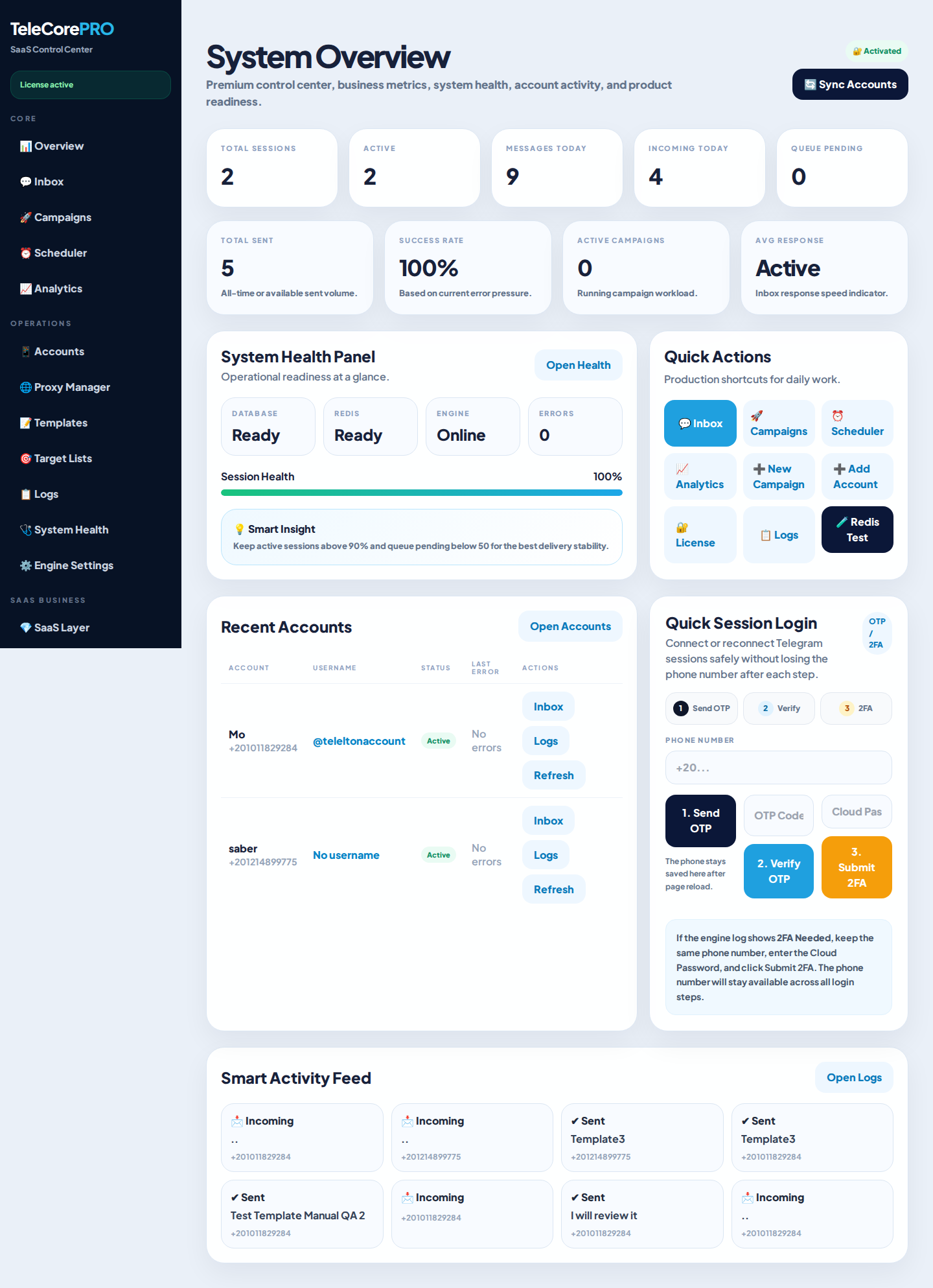
Dashboard overview
A real TeleCore dashboard view from the private SaaS instance.
TeleCore helps agencies, community owners, and SaaS builders manage Telegram sessions, campaigns, target lists, templates, inbox workflows, analytics, and protected license activation from one polished web dashboard.
TeleCore is built as a commercial-ready product, not a basic panel. It includes user separation, campaign tooling, demo protections, documentation, and licensing architecture.
Create Telegram outreach campaigns, queue targets, track status, and keep operations organized from the dashboard.
Admin and client-facing workflows help you run TeleCore as a software product, not just a one-user script.
Manage incoming conversations, reply workflows, and ownership patterns for safer team operations.
Prepare reusable templates and structured target lists for faster campaign setup and cleaner execution.
Track campaigns, queue states, skipped actions, demo-mode blocks, and operational events.
TeleCore Client connects to your vendor-hosted LicenseCore service. Envato tokens never belong inside buyer installs.
Use the core product as your base, then extend it with installation services, custom flows, client onboarding, or private SaaS operations.
Show the product safely while blocking real sending, destructive actions, token visibility, and sensitive exports.
Installation, activation, worker/scheduler notes, troubleshooting, and support instructions are included.
Guide buyers to the official TeleCore Support Bot for installation, activation, domain transfer, and common issues.
Review the core workflows buyers need most: dashboard overview, campaign setup, license activation, protected demo behavior, and operational guidance.
Customer enters a purchase code or direct serial. TeleCore checks the vendor-hosted LicenseCore service and stores a local license cache.
The live demo is designed as a buyer-friendly preview. You can explore the interface, sample workflows, and product value while real sending, Telegram session connection, exports, destructive actions, and license changes remain disabled for safety.
TeleCore includes installation documentation covering PHP, MySQL, Composer, Node build assets, scheduler/queue, Python worker expectations, and license activation.
We can help with paid custom work such as branding, installation, UI adjustments, workflow changes, and private deployment assistance. Customization is not included in the standard item support policy.
Do not want to configure hosting, database, worker, cron, or activation yourself? Contact our team for paid installation service availability.
Start with the official documentation, then use the Support Bot or Support Team for common installation and activation issues.
Common questions for buyers, reviewers, and installation teams.
No. TeleCore Client is a self-hosted Laravel application. You install it on your own hosting or VPS. A private LicenseCore server is operated by the vendor for license verification only.
No. LicenseCore Server is vendor-owned and is not included in the seller ZIP. Buyers receive TeleCore Client only.
For real Telegram operations, the Python worker must run as a persistent process or service according to the documentation. The web dashboard alone does not replace the worker.
Yes. Use the protected public demo. Real sending and sensitive actions are disabled for safety.
Yes. Installation or customization can be requested as paid work depending on availability and scope.
Use the TeleCore Support Bot, Support Team Telegram link, or support email listed below.
Use the official TeleCore Support Bot for installation help, activation problems, domain transfer questions, worker/scheduler issues, and common troubleshooting.
Support Email: telecore.pro@gmail.com
Purchase TeleCore, review the documentation, test the protected demo, and start building your own branded campaign management platform.
TeleCore requires one global Telegram API ID and API Hash before connecting Telegram accounts.
Create your Telegram API credentials from my.telegram.org, then open the TeleCore admin sidebar and go to Telegram API.
Admins can configure the global Telegram API ID and API Hash from the TeleCore admin sidebar. This makes setup clear for buyers and keeps Telegram sessions using one shared, secure credential set.
These screenshots are captured from app.telecore.pro after authentication, using the current approved TeleCore build. They show real product screens instead of placeholder metrics or mock dashboards.
A real TeleCore dashboard view from the private SaaS instance.
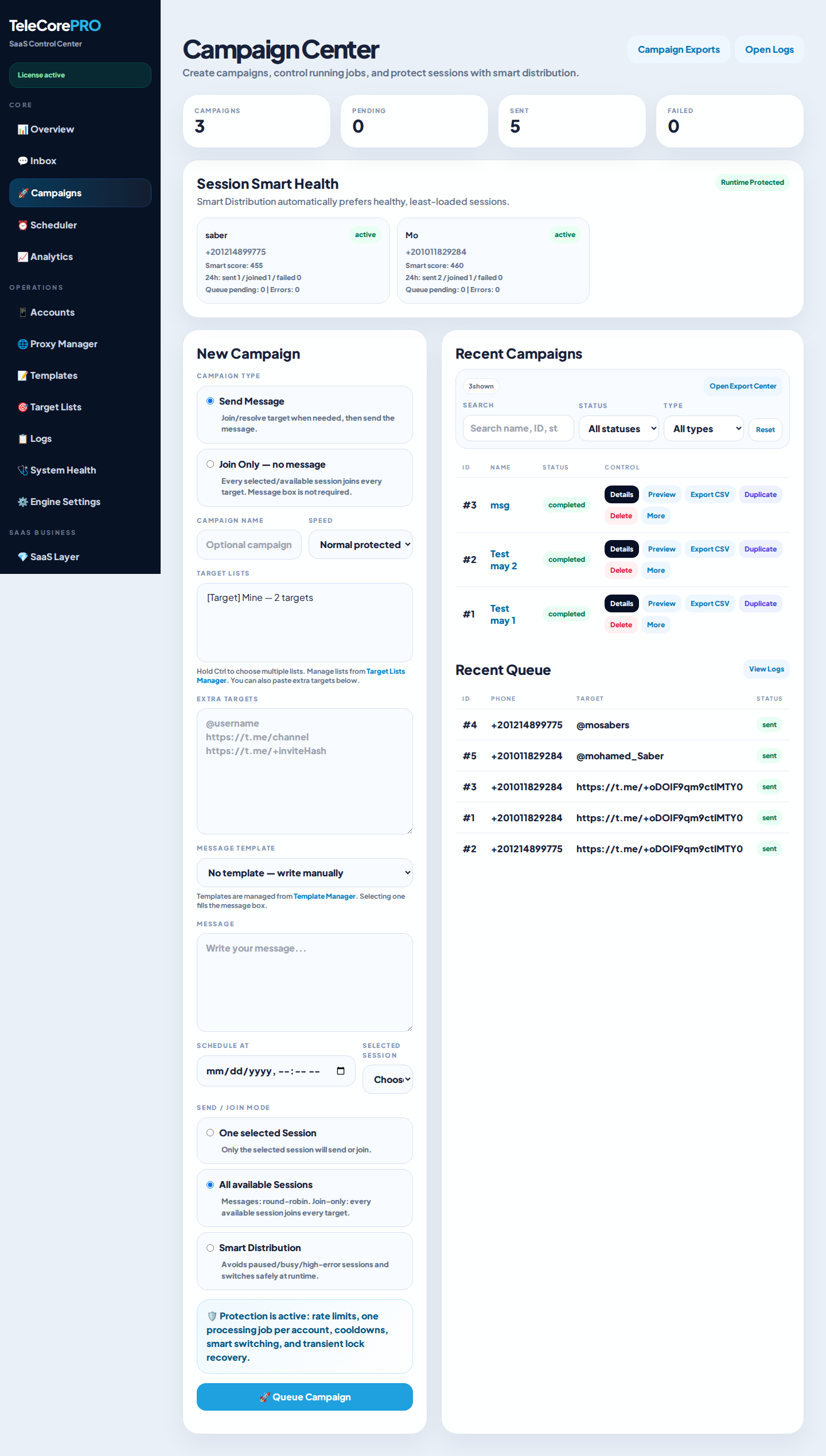
Campaign workflows, queues, and operational controls.
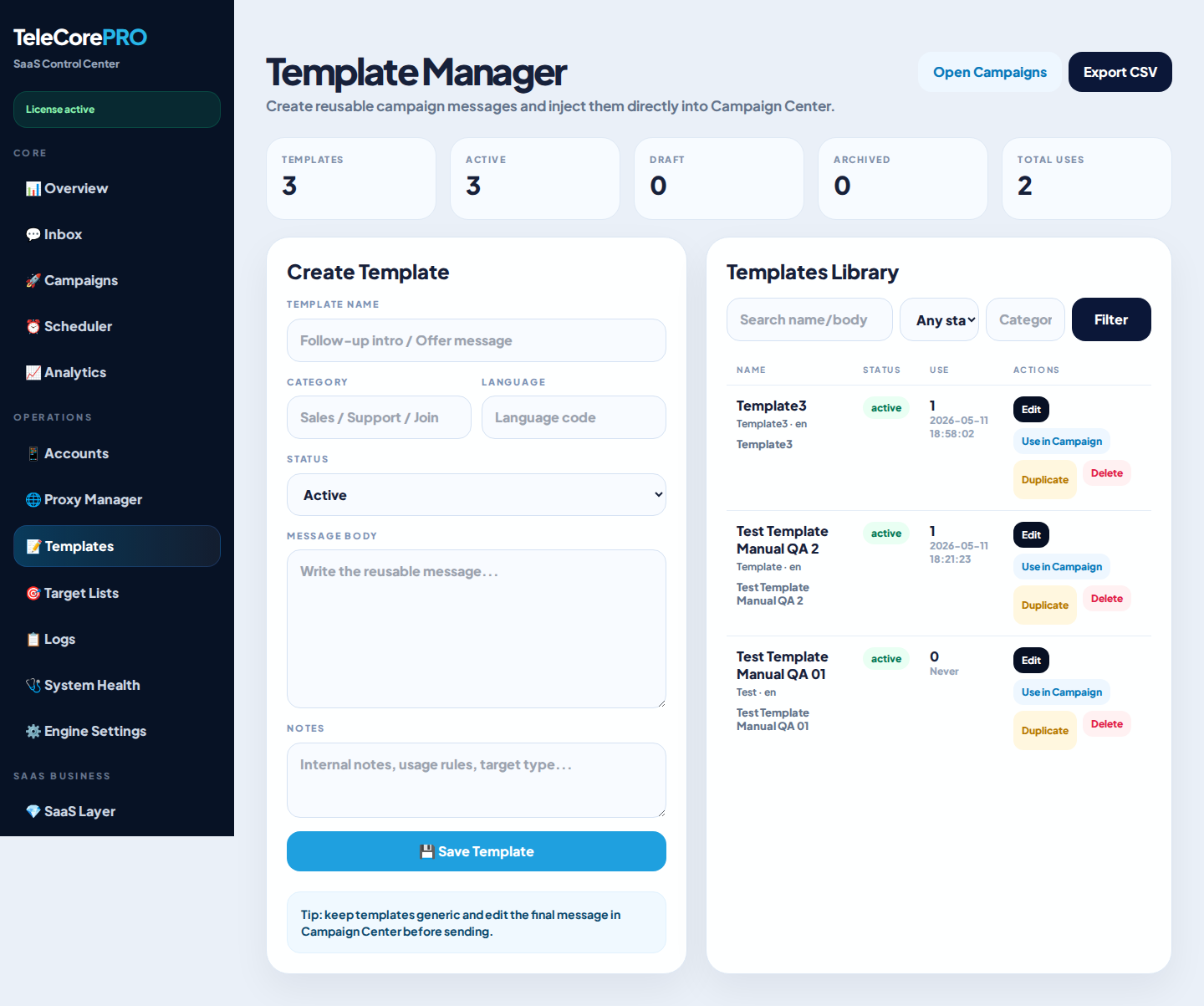
Reusable message templates for structured outreach.
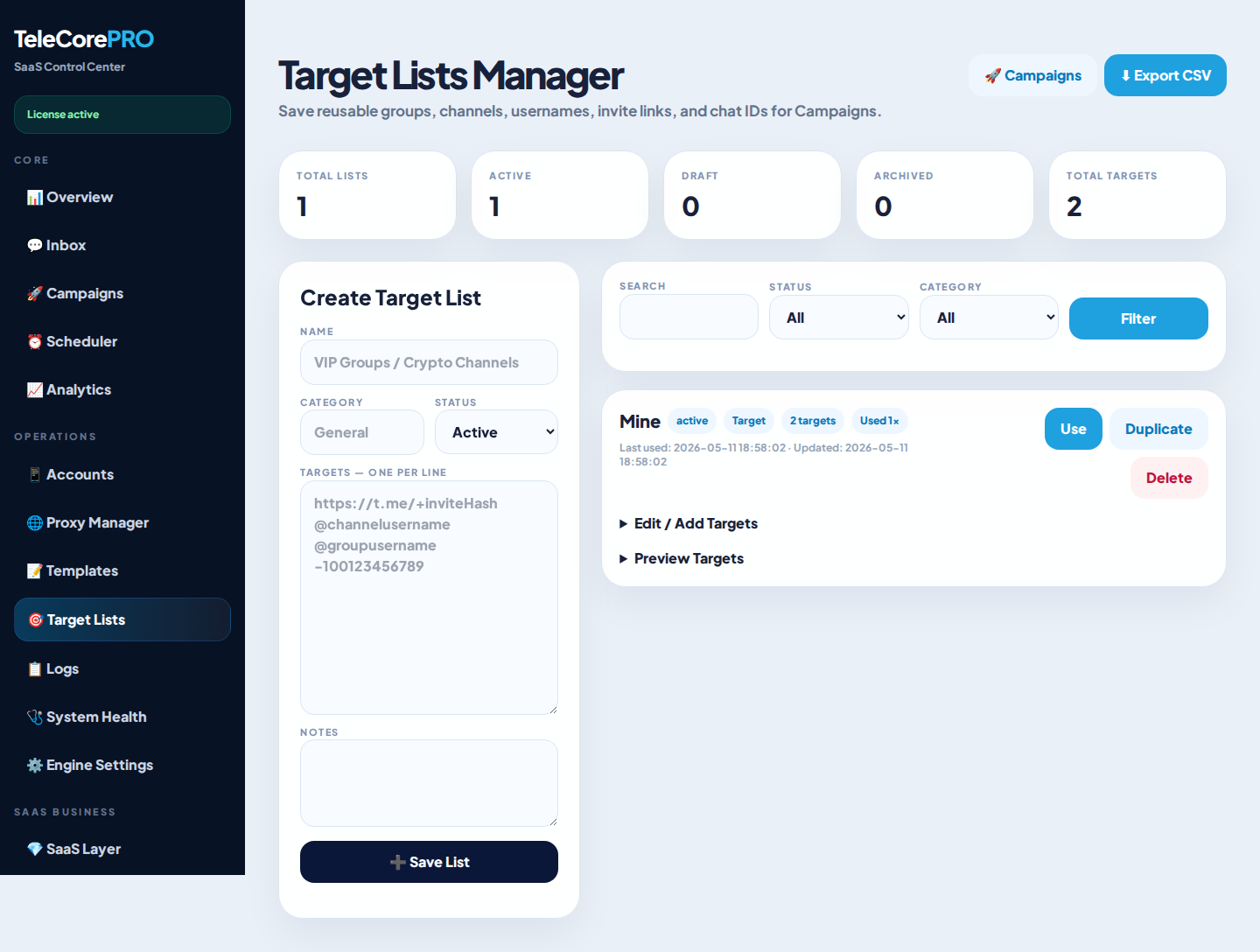
Organized audience lists for campaign planning.
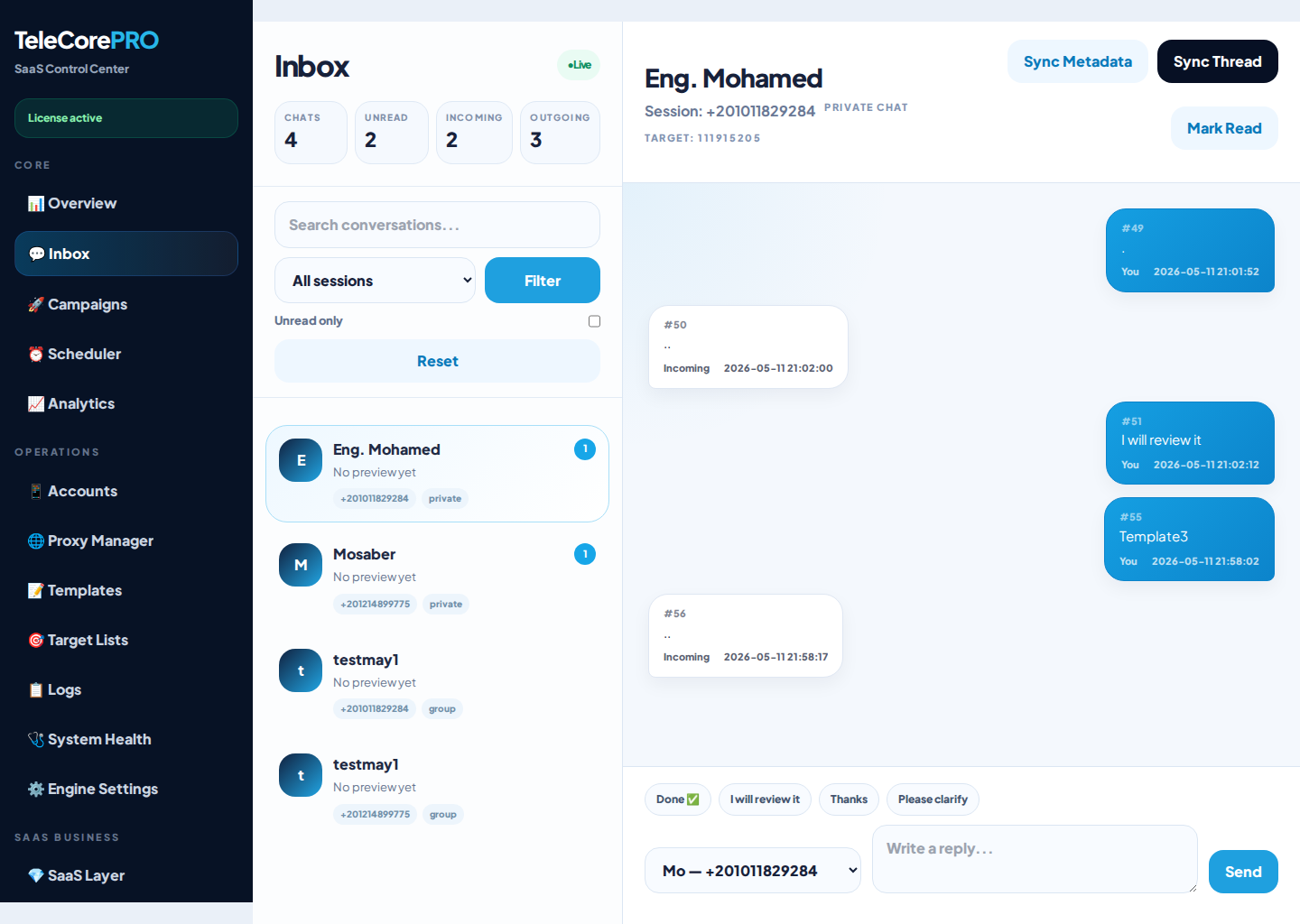
Centralized reply and conversation workspace.